A weapon wheel for your files.
A free file converter and toolkit for your Mac. Drag files in Finder, hold a key, flick to a tool: convert, compress, crop, translate and dozens more, right where your files already are.
A free file converter and toolkit for your Mac. Drag files in Finder, hold a key, flick to a tool: convert, compress, crop, translate and dozens more, right where your files already are.
Point at a slot and click. Tap Shift, ⌘ or Control to switch wheels.
The wheel is drawn by Radlet's own code, with slots the real engine returned.20 seconds, with sound
Three wheels
Start a drag in Finder and hold a key. The wheel opens under the pointer: flick toward a slot and let go, or drop in the middle to cancel.
No drag needed: select files and press ⌃⌥V in Finder, or right-click and choose Services.
JPEG, PNG, WebP, PDF, Word, Excel, MP4, MP3 and more. Results land next to the originals.
Crop, compress, redact, hide faces, translate, make icons, read QR codes, share.
Your saved sets of steps, like “Web-ready image”, one flick away.
On the wheel
Images, PDFs, documents, spreadsheets, audio, video, subtitles, SVGs, icons and archives. Documents keep their headings, lists, tables and links. Drop a whole folder for “Images to JPEG” or “Documents to PDF”.
Finds the smallest JPEG or WebP that still looks the same, by measuring it. Or aim for a size: email, Discord, WhatsApp.
Copy text from pictures, remove backgrounds, hide faces, make subtitles and translate documents, with Apple's own frameworks.
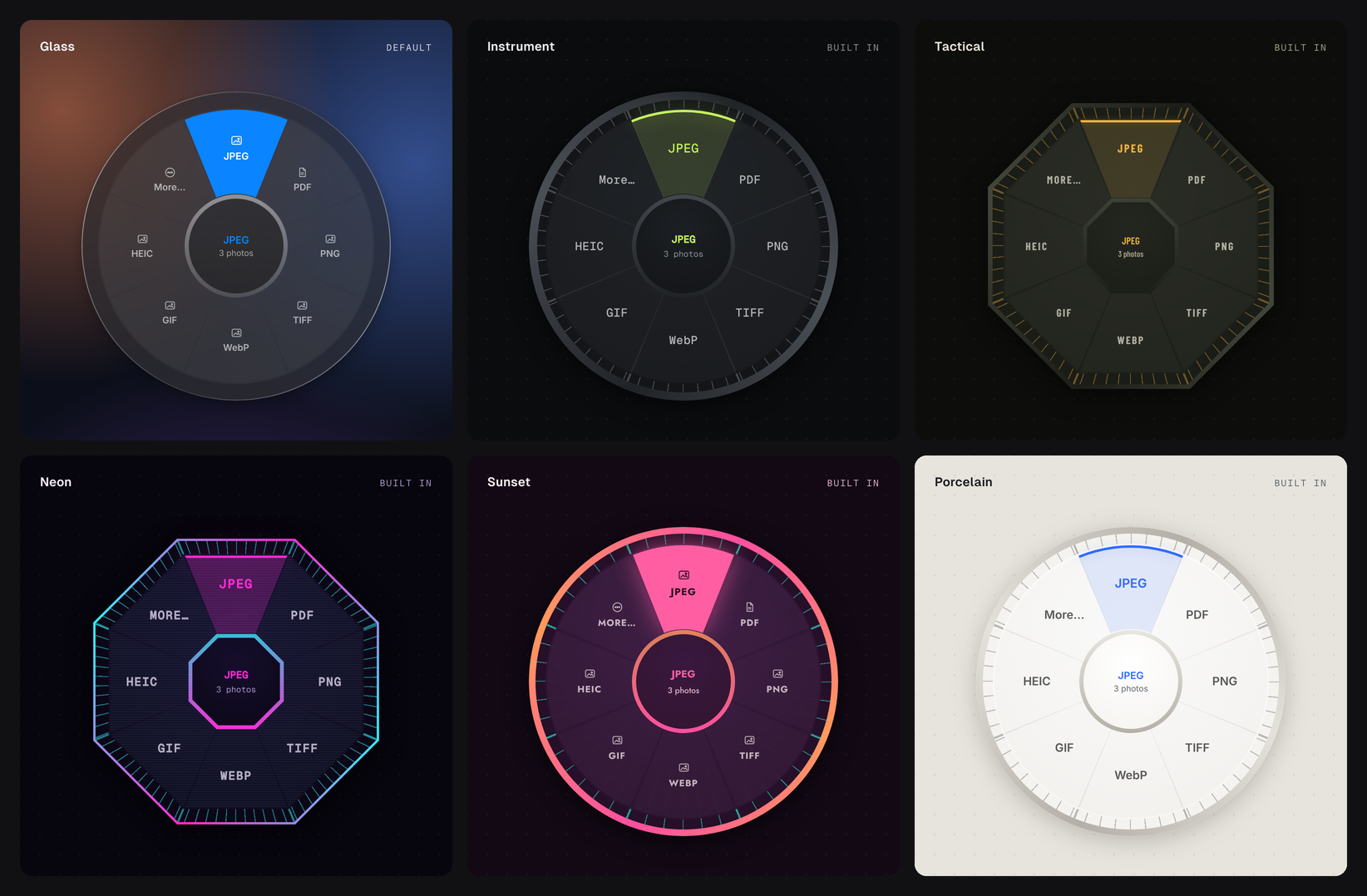
Glass, Instrument, Tactical, Neon, Sunset and Porcelain, or write your own in a few lines of CSS. Pick Orbit or Bloom for a second ring of presets.
Each file runs in its own process, so a crash or hang can't take the batch with it. No network access, no accounts, no telemetry.
Also on the wheel
See the GPS, camera serial and hidden edits a file carries before you share it, then strip them.
Split, reorder, rotate, number pages, watermark, lock with a password, or make scans searchable.
Trim, make GIFs, save stills, even out the volume and make subtitles, with FFmpeg installed.
New files appear beside the originals under a free name. Every job can be undone from History.
Files added to a folder are converted, compressed or run through a loadout as they arrive.
Rename with a pattern, copy a path, open in Terminal, or share by AirDrop, Mail and Messages.
Loadouts
Like a game loadout, but for files. Save any tool's settings as a loadout from its window, or chain steps in a small text file. Hold Control while dragging and they're on the wheel.
name = "Web-ready image"
description = "Longest side 2048 px, WebP, no metadata"

[[steps]]
op = "resize"
max = 2048

[[steps]]
op = "convert"
to = "webp"
quality = 80

[[steps]]
op = "strip_metadata"
# the same engine as the wheel
$ radlet convert *.heic --to jpg
$ radlet compress photo.jpg --target 2MB
$ radlet translate notes.md --to fr
$ radlet loadout "Web-ready image" *.png

# let Claude and other AI apps use it, locally
$ claude mcp add radlet -- radlet mcp
Command line & AI agents
Almost every tool on the wheel is a radlet command, ready for scripts and Shortcuts. radlet mcp lets Claude and other AI apps convert, compress and clean your files on your own Mac.
--json.Questions
Yes. Download it here or from GitHub. There's no account to make, no subscription and no ads.
No. Radlet has no network access. Converting, compressing, text recognition, background removal, face hiding and translation all run on your Mac, using Apple's own frameworks where they help.
Yes: drag the photos, hold Shift and drop on JPEG. The JPEGs appear next to the originals. It also turns PDFs into images, Word documents into PDFs, CSV into Excel, MOV into MP4 (with FFmpeg installed) and a lot more.
macOS 14 Sonoma or later, on Apple silicon and Intel. Translating documents needs macOS 26.
Radlet isn't notarized by Apple yet. On macOS 15 or later, open System Settings → Privacy & Security and click Open Anyway. On macOS 14, Control-click Radlet in Applications and choose Open. You only do this once.
Why “Radlet”
Radial-letRadlet
Radial, because it's a wheel. In German and Dutch, Rad even means wheel.
-let, because it's a small one, as in droplet or booklet: it opens under your pointer and gets out of the way.
More importantly, rad is slang for awesome.
The wheel tries to live up to that.